
Affiliate Disclosure: Some links on this page are referral links. If you sign up through them, we may earn a commission at no extra cost to you.
Quick answer: To cancel Venice AI, go to venice.ai/subscription and cancel from your subscription settings. Your Pro access stays active until the end of your current billing period — you are not cut off immediately, and you are not refunded for the remaining days. If you subscribed through the iPhone or Android app instead, you must cancel through Apple or Google Play (details below).
How to Cancel Venice AI (Web Subscription)
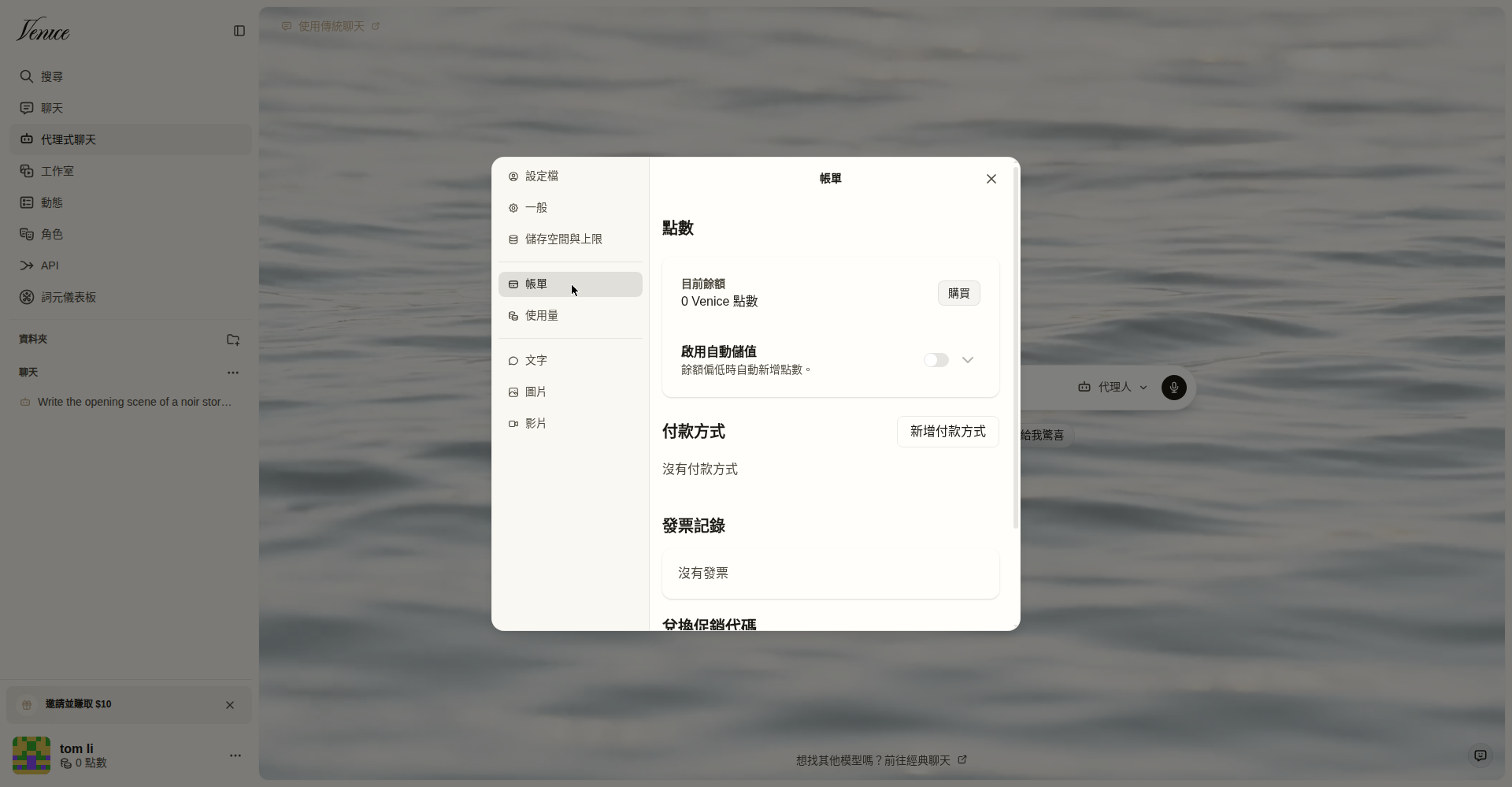
- Go to venice.ai/subscription and log in. (If it redirects you to the chat, open your account menu → Settings → Billing instead; that is the same subscription management page.)
- Open your subscription settings — this is also where you manage payment methods, billing details, and receipts.
- Click Cancel subscription and confirm.
- You will keep Pro access until the end of the period you already paid for. After that, your account drops to the free plan.
This is per Venice’s own FAQ: “If you cancel, your access will remain active until the end of your current billing period.”
Canceling on iPhone / iPad
If you subscribed through the Venice iOS app, Venice cannot cancel it for you — Apple controls the billing:
- Open Settings → tap your name → Subscriptions.
- Select Venice AI → tap Cancel Subscription.
Canceling on Android
- Open the Google Play Store → tap your profile icon → Payments & subscriptions → Subscriptions.
- Select Venice AI → tap Cancel subscription and follow the prompts.
What Happens After You Cancel
- You keep Pro until the billing period ends. Canceling stops the next charge; it does not end access today.
- No partial refund. Venice does not refund the remaining days of the current period.
- Credits do not roll over anyway — Pro’s monthly credits expire each month whether you cancel or not.
- Your account and history stay. Downgrading to free does not delete your account.
Watch Out For These (From Real User Complaints)
- Third-party billing. Venice’s subscription management runs through a third-party billing system, and there are documented Reddit complaints about cancellation and refund difficulties. If the cancel button does not work or a charge appears after canceling, contact [email protected] immediately and keep records.
- The “double paywall” surprise. A common complaint: paying $18/month for Pro and then discovering video generation and some premium image models cost extra credits on top.
- Trial-testers: set a reminder. If you only wanted to try Pro for a month, set a calendar reminder a few days before renewal.
- Cancel ≠ refund. If you were charged and want your money back, canceling alone does not trigger a refund — you have to ask support explicitly.
Before You Cancel: Cheaper Alternatives
If price is the reason you are leaving, these are worth a look before you go:
- Perchance AI Chat — free, no signup, minimal filtering. The default free alternative.
- Venice free tier — you can simply downgrade instead of leaving entirely.
- Grok — less filtered than ChatGPT/Claude, free tier with usage limits.
FAQ
How easy is it to cancel Venice AI?
On the web it is a few clicks at venice.ai/subscription. The complaints are not about finding the button — they are about charges appearing after cancellation and refund refusals, which is why you should confirm the cancellation and watch your next statement.
Will I lose my chats if I cancel?
No. Venice stores chat history in your browser, not on its servers. Downgrading to free does not delete your account or history.
Can I get a refund from Venice AI?
Canceling stops future charges but does not automatically refund the current period. For a refund you must contact support at [email protected] — success is not guaranteed.